
Academic Year & Terms
Set up years and terms, and designate the current one that drives defaults across the system.
GenisoftFEES centralises the full fees lifecycle from fee scheduling and billing to online and offline payments and financial reporting. It includes a parent portal that keeps every guardian in the loop, WhatsApp/SMS receipts and reminders, and an AI WhatsApp assistant that handles parent enquiries automatically.
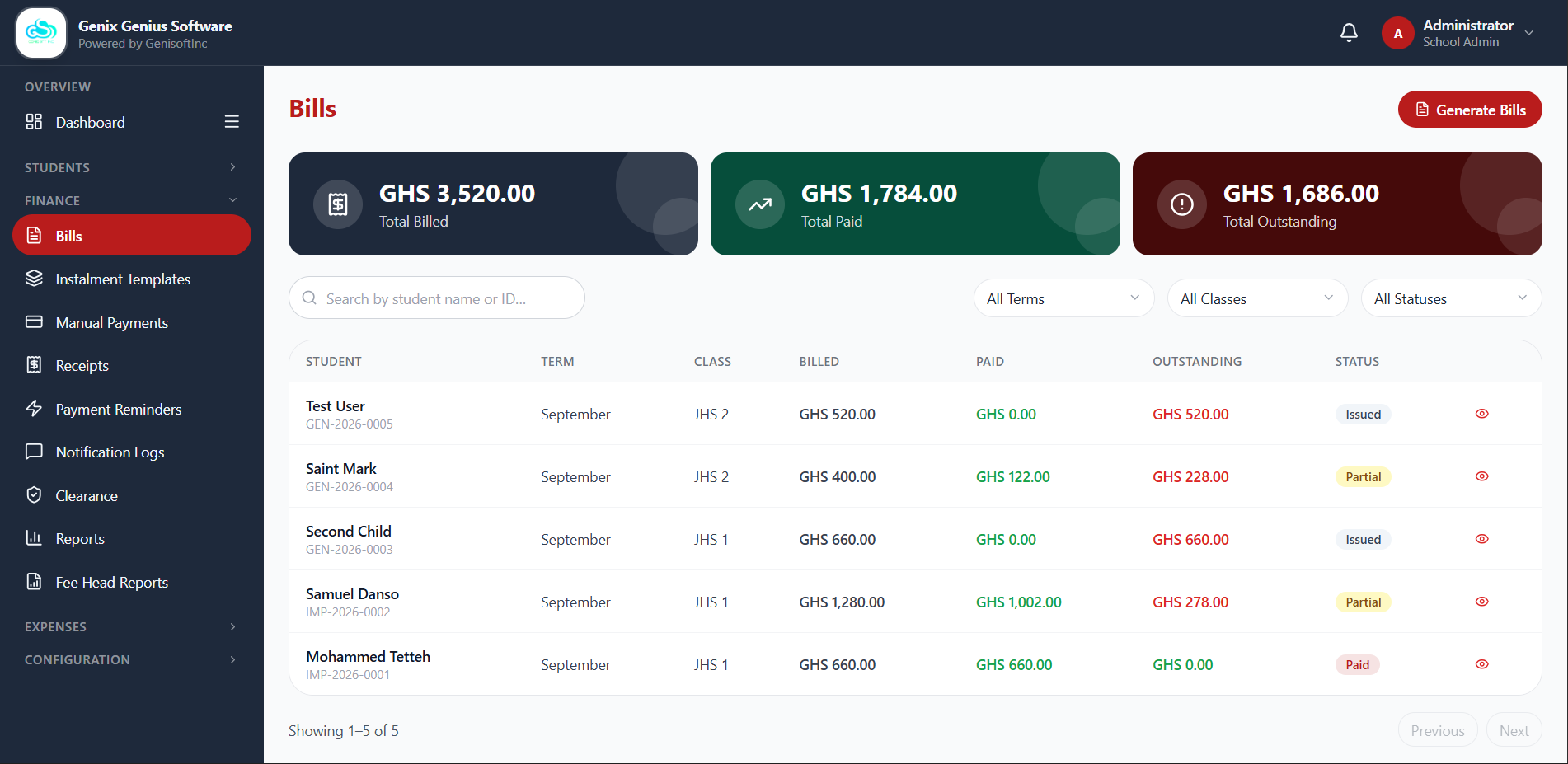
Every fee your school collects follows the same clean pipeline — so nothing gets billed, paid, or reconciled off the books.
From academic-year setup to audit-ready reports, GenisoftFEES replaces spreadsheets, cash books, and scattered SMS blasts with one system.
Set up years and terms, and designate the current one that drives defaults across the system.
Organise year groups and assign transport fees by pick-up zone.
Add students one at a time or bulk import via CSV, with parent linking built in.
Build named charge categories, tuition, PTA levy, transport, into reusable, previewable fee schedules.
Generate bills for an entire class or the whole school in one confirmation step.
Split a bill into due-date milestones with reusable templates, applied singly or in bulk.
Secure Mobile Money and card checkout via Theteller, with instant confirmation and receipts.
Parents submit proof for cash, bank transfer, MoMo, or cheque payments; admins approve or reject with a reason.
Overpayments and school-issued credits are tracked, not lost, ready to apply to a future bill.
Configurable SMS/WhatsApp dunning sequences by day-offset from the due date, plus manual bulk sends.
Set a payment threshold and instantly see which students are financially cleared at term end.
Track vendors, categories, and budgets, with a submit → approve → paid workflow.
Custom staff roles and fee-head-level access control, down to a single report.
Collection summaries, defaulter lists, payment-method breakdowns, and a tamper-evident audit trail.
Every receipt carries a QR code that anyone can scan to confirm it's genuine no login required.
Parents message school's AI Assistant WhatsApp number to get a balance, payment history, or a receipt PDF instantly.
Parents linked to the same student to each pay a portion of the bill independently with receipt generated in their name.
School Administrators, Bursars, and Parents each get a portal shaped around what they actually need to do.
Everything from academic-year setup to staff permissions lives in one Admin Panel.
Bursars get the same billing and payment muscle as an admin, scoped to daily finance operations.
Parents get one dashboard per family — every linked child's bill, balance, and receipts in one place.
From an office desk to a farm to the school run — GenisoftFEES turns "fees paid" into a message every parent actually sees, the moment it happens.
Every parent linked to a student gets a live dashboard, secure payment options, and automatic receipts, so "did the payment go through?" stops being a question.
Green when paid, red when owed, amber for unpaid previous-term arrears.
Secure Theteller checkout for Mobile Money and card, instalments lock to the right amount automatically.
Bank transfer, MoMo, cash, or cheque, attach proof and it's saved locally and sent the moment you're back online.
Download a PDF or share a public link anyone can scan to confirm it's genuine, no login required.
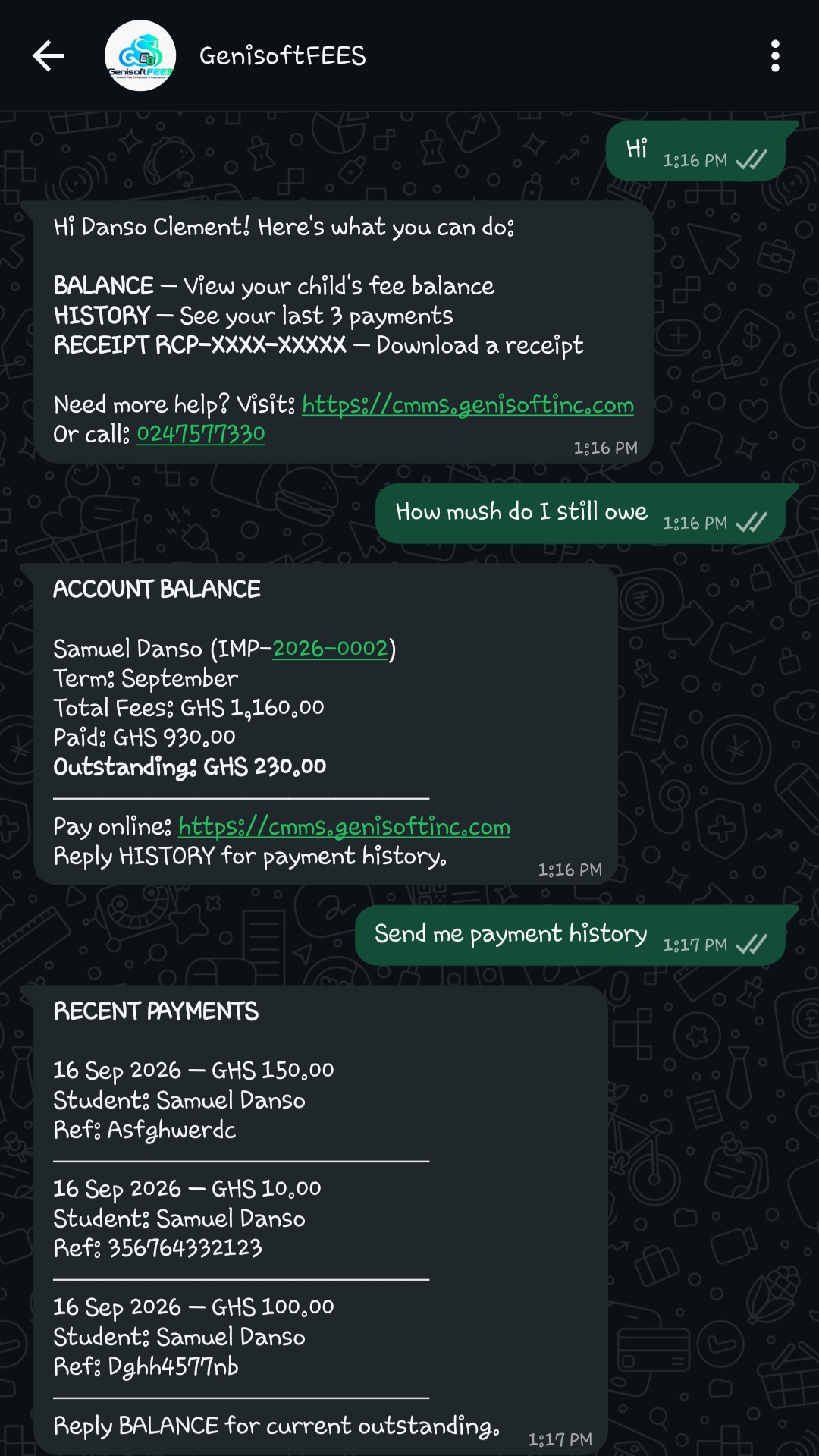
Fee heads, instalment culture, and MoMo-first payments, designed around how schools here actually bill.
Every online transaction runs through Theteller's secure checkout. Mobile Money and card, fully encrypted.
SMS and WhatsApp reminders, receipts, and approval outcomes go out without anyone lifting a finger.
A tamper-evident audit log and exportable reports mean every cedi is traceable, for every role.
Enrollment size, number of terms, and the modules you need all shape the right plan. Talk to us and we'll put together a quote that fits.
Tell us your school size and we'll send a tailored quote within one business day.
Request a Custom QuoteParent accounts are created by the school administrator, not by the parent. Once a parent is linked to a student, they receive a phone number/email and a temporary password by SMS, and set a permanent password on first login.
Online payments run through Theteller, covering Mobile Money and card. Schools can also record and verify cash, bank transfer, Mobile Money outside the portal, and cheque payments manually.
Yes. The manual payment form works offline — it's saved on the device and sent automatically the moment the connection returns. Proof file uploads can be added once back online.
Every downloaded receipt carries a QR code. Anyone can scan it, or open a shared link, to confirm the receipt is genuine on GenisoftFEES's public verification page — no login required.
Yes. Admins build instalment templates and apply them to a single bill or in bulk across a class, giving each student due-date milestones instead of one lump sum.
Yes. Beyond the default School Administrator and Bursar roles, you can create custom roles with granular permissions, and even restrict report visibility down to a single fee head.
Book a free walkthrough with your team and see GenisoftFEES running on your school's own fee structure.
Explore the rest of the Genisoft suite — School Management, Moodle LMS, POS, E-Commerce, and custom websites.